Showing posts with label ideas. Show all posts

Monday, May 24, 2010

Helping Without Talking

Try these help-aids with your students when you don’t have time to stop and chat.

  • Redirection. If the student is off-task and/or looks lost, point to the task they should be on.
  • Permission. A nod of the head is a good way to tell a student it is okay to ask a question.
  • Understanding. Have the students use a signal to indicate where they are with the material. For example, raising one finger means I'm lost, two fingers means I'm catching on and three fingers means I've got it.
  • Praise. Use a non-verbal gesture such as thumbs up or a vertical nod of the head when something good happens.

Did you notice the hand gesture in the photo in relation to the text?

Monday, January 25, 2010

Email the Courtesy Call

Numerous posts (see: Helping Students be There and Make the Courtesy Call ) addressed the idea of contacting the students prior to class to convey important information and help develop a sense of community. The example below is an email that Chris Matthews, Tai Chi instructor, sends his students.

“Hi everyone,Wanted to remind you all that you are signed up for a Tai Chi for Health class this weekend, Sat. and Sun., Nov 14 & 15. The class will be held at Focus Physical Therapy offices located at 901 NW Carlon Ave (just off Broadway and Colorado next to the Deschutes River). Class will run from 8:30 to 11:30 am. I will be there about 8:15 so feel free to get there a little early.We will be taking some breaks so please bring some light snacks for yourself as we will not have time to go out for anything. Wear comfortable clothes and Focus does ask that we not wear shoes on their practice floor, so if you are comfortable in socks that is great but if not please bring a clean pair of shoes to wear.I have attached some information on tai chi and qigong for you to look at when you have time. You do not need to bring this information to class.If you have any questions before class please feel free to call me at 541-555-1234 or email me. Look forward to seeing you Saturday!”

Thanks to Rachel Knox for this post

Monday, December 7, 2009

Getting Ready for the Winter Session

In order to be ready for a new session and its classes, I review a check list of activities that help set the tone for the classes. The list is shown below. Give it a try.

  • Contact the students before the class begins and offer suggestions on materials they will need to bring, location of the classroom, parking issues, etc.

  • Greet the student at the classroom door and introduce yourself.

  • Provide materials for making table tents or name tags to help others know their classmates.

  • Inform the students about break times, restroom locations, cell phone etiquette, etc.

  • Conduct an ice breaker to help people feel comfortable.

  • Start the class on time.

  • Give an overview of the class.

  • Provide frequent breaks during the meeting.

  • Encourage participation.

  • Conclude the class on time

Monday, November 9, 2009

Help with Learning the Vocabulary

Here is a fun way to help students remember key words related to classroom activities. It is called Wordle and is free with no login or passwords to remember.

I created the Wordle to the right using key words from the Photoshop Elements class. I found that it required me to think rather seriously about the most important terms used in class.

Begin the fun by having the students go to http://www.wordle.net/create.
  • Next, have them enter the important words from the class into the “Paste in a bunch of words” box. The size of a word in the final product is determined by the number of times it is entered.

  • Two or more words can be kept together with a space between them by using the tilde (~).

  • When finished click on GO.

  • The next Wordle screen offers choices for changing the language, font, layout and color. Experimenting with them produces some nice variations. More variations can be seen by clicking the Randomize button at the bottom of the screen.

  • Use the Print button to print a copy of the Wordle.

  • The Save to public gallery… button places the Wordle on the Internet. Once there, it cannot be changed or removed.

  • The Wordle cannot be saved to disk. However, a digital copy can made using a screen capture technique/software.

  • If you navigate away from the Wordle you have created, all will be lost, i.e. you will need to start over.

Monday, October 19, 2009

Myth Busting: Is Multitasking a Good Thing?

Have you ever wondered if multitasking saves time or is a good way to learn or if you are too old to remember all the tasks?

Well, a recent issue of Inside the School carried an article by Maryellen Weimer that indicated we may need to rethink our multitasking, at least when it comes to education. Titled “Three Multitasking Myths,” it discusses research related to each of the following urban myths:
  • Multitasking saves time.
  • Multitasking is as good as single-task learning.
  • Multitasking is for the young.

The end result: all three of the myths were busted.

Read the complete article by clicking here.

Monday, April 27, 2009

What classes should I take next?

Students often ask, “What classes should I take next?” If the class they are completing was one of a sequence, I would suggest taking the next one in the sequence, even though I did not offer the class. However, I became stuck when asked what to take when there was no sequence. Feeling a need to help the students, I searched for a solution.

The first place I looked was the current class schedule. Not surprising, there were a number of classes that expanded on various topics within my class. So, I wrote down the titles along with a brief description and created a handout. The handout was disseminated at the next meeting or emailed to the students if the class had concluded.

One such handout can be viewed by clicking here. Your program coordinator (Glenda, Nancy, Paul, or Rachael) can help you construct something similar.

Monday, March 16, 2009

Three PowerPoint 2007 Tips

Ready to move your PowerPoint presentations into the 21st century? Here are three ways to leave that pre-Millenium slide show behind.

1. Apply the 10, 20, 30 rule.
No more than 10 slides.
No more than 20 words per slide.
Use at least a 30 point font size.

But, you say, “My information is more than the 10 and 20.”

Not to worry—give the audience a break every ten slides by providing music (PowerPoint 2007 comes with at least two sound clips.), having them take a short stand up break, fiddling with the program while profusely apologizing, etc.


2. Use animation sparingly, if at all. Although fun to put in the presentation while sitting at your desk, it can create a zombie-like reaction in an audience who must sit through things that are dissolving, zooming around the screen, flashing on and off, etc. if you must have animation, strive for no more than two per slide and use the same one(s) throughout.


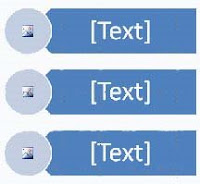
3. Move beyond bullets (dots, squares, numbers, etc.) in your list. This can be done by employing Microsoft PowerPoint 2007s Smart Art. It is found by clicking the Insert tab. The following Smart Art example is one where its color scheme can be changed, an image can be inserted into the circle, and text placed in the rectangle.

PowerPoint bullets
Have a PowerPoint tip you would like to share? Contact Paul Stennett by clicking here.

Tuesday, March 10, 2009

FINALLY, SOMETHING TO DO WITH A CELL PHONE IN CLASS.*

Cell phone use in the classroomAre your students really “getting” what you have to say? Although there are various means of determining the level of understanding, i.e. Q&A, tests, clickers, etc., the use of a cell phone in class can create new opportunities for making sure everyone “gets it.”

Here is how it works: The students indicate what they do/do not understand by text messaging to a central place where the results are tabulated and then shown on the classroom screen. The process is similar to the TV program where the audience uses their cell phone to vote. Rather than voting, the students indicate what is unclear, needs repeating, or rephrasing, etc. by using their phone. The cell phone itself is simply a part of an audience response system (ARS) that includes software, Internet connection, graphics, etc.

The campuses have the Internet connection, the students have a cell phone, and the ARS is available from polleverywhere.com. They even offer a free service for classes with less than 30 students. The department will demonstrate the process at the next Teaching Adults class.

Read more about ARS and polleverywhere.com by clicking here.

A video of how it works can be seen by clicking here.

*Abstracted from Inside the School Update. Visit their website by clicking here.

Monday, March 2, 2009

Helping Students Own and Control
Their Learning Experience

The latest update of Inside the School contains an article by Jennifer Stanchfield titled, “Giving Learners Control and Responsibility for Learning.” It is an excerpt from her book, Tips & Tools: the Art of Experiential Group Facilitation.

Although directed more toward the pre-college student, it contains many suggestions adaptable by Community Learning instructors. Some of the suggestions include:

  • Icebreakers that establish commonalities.

  • Situations that allow quieter students to participate.

  • Helping students gain greater control of their learning.

Read the entire Inside the School Update by clicking here.

Monday, February 23, 2009

Solving Student Registration Issues, Part II

The post of last week offered guidance regarding a student who unexpectedly show up. The following post has suggestions on what to do about supplies and the need to stay in touch with the Community Learning office.

1. Supplies. If you have a class that requires supplies to complete a project and the student came without the required supplies, you can:

  • Share supplies (for a fee to the student) or perhaps talk to other students in the class who came prepared and would be willing to share supplies for a fee (always emphasize that the supplies need to be reimbursed).
  • If there is a second class or there is a lunch break, perhaps the student without supplies could purchase some before coming back to class.

2. Be in touch with the CL office on the days before your class.

  • Your programmer will send you a roster in a timely manner. We try to give you enough time to prepare supplies. However, the earlier we send a roster, the better the chance that additions or subtractions will occur making your original roster less accurate.
  • Students can “register” online 24 hours a day. Our website does tell them their registration will not be complete until our office contacts them to confirm. However, we do see larger numbers of students registering online for a class the night before the class begins. This can be challenging for you, especially if you are teaching an early morning or a weekend day class.

Finally, remember to follow up immediately after class with your programmer with questions, concerns and convey the names of all students in question.

Again, a special thanks to Glenda and Rachel for this two part post.

Monday, February 9, 2009

More Icebreakers

Icebreakers for classroom use. Creating a sense of community in a classroom can be a challenge. One of the time-honored means is to employ an icebreaker activity during the first meeting.

Fifteen icebreakers, some new, some refurbished, are offered by Business Training Works. Instructions on how to conduct the activity and materials needed are provided. Take a look by clicking here.

A special thanks goes to Beth Wickham for bringing the 15 to our attention.

Additional icebreaker ideas can be found by clicking on icebreakers in the Labels area on the right side of the screen. You may need to scroll to find it.

Monday, January 26, 2009

Social Media in the Classroom, Part II

The previous post gave an overview of social media and suggested some classroom uses. This post offers specific information on Facebook, its use by the department, and one of our instructor’s classroom application of a blog.

Facebook
A white paper titled, “Drive Belonging and Engagement in the Classroom” provides a closer look at Facebook from a classroom perspective. It discusses Facebook popularity, demographics, growth, etc. along with ideas on:

1. Creating a teacher or student biography (called a profile).
2. Creating student groups.
3. The sharing of photos and videos.
4. Publishing notes and classroom examples.
5. Management of assignments.
6. Testimonials of instructors.

View the document by clicking here.

Department Facebook Page
The department’s use of Facebook is just beginning. The idea behind the Facebook page is to establish a presence rather than being a social networking place. To view the department's page, you will need to join Facebook. It is easy, free, and safe. Join and view by clicking here.

Classroom Blog
A long-time department instructor has been operating a class blog for several years. He uses it to keep in touch with former students, provide current information, offer supplement material, etc. View the blog by clicking here.

Even More...
Want to know even more about social media? Enroll in the upcoming spring session of “Market your Business on Social Media”, April 14 and April 21 6-9 p.m.


Monday, January 12, 2009

Putting Community Learning into a Context

Paul Stennett (L) and new instructors in the Teaching Adults class

Ever wonder what you are doing by teaching a class? Is it just that: teaching a class? Is there a larger picture?

When viewed in a larger context, the class you offer is a vital component of an organic whole. It is possible to attain a sense of how your class fits into the scheme of things by viewing a PowerPoint presentation.

The slide show was created by Augusoft.com and is titled, “A New Day is Dawning: The State of Community Education & Lifelong Learning.” The term ‘community education’ is very much the same as what we call ‘community learning’ here at COCC.

Take a look at the show by clicking here.

Monday, December 8, 2008

Five Tips for Homework Assignments

Do the homework assignment! Teaching a class that involves homework?

Suggestions for helping the students with the assignments are found in a recent Inside the School Update that contained an article titled “Posting Homework Online” by Diane Trim. The following points are particularly relevant to community learning students.

  1. Post assignments on the Internet. This can be accomplished using social media such as a blog.*

  2. Assignments are easily retrieved when on the Internet. If a student misses a meeting, they can obtain the homework themselves and not fall behind.

  3. Posting the assignments also serves as a reminder. Our adult students lead busy lives and often appreciate being reminded.

  4. When writing the assignments, use a common/generic word processing program. Not everyone has the latest version of all programs.

  5. Keep the assignments brief. This results in a small file size, allowing for a quick download. Those with a dial-up modem will appreciate it.

*More information on social media and blogs will be forth coming.

Monday, October 27, 2008

Another Opportunity for Teaching Adults

This Saturday is another free session of the Teaching Adults class. Meet the current group of new instructors, discover the latest in department information, and teaching tips while sharing your teaching knowledge and expertise.

Please join us:

Saturday, November 1, 2008
Boyle Education Center Room 151
9 a.m. to Noon.

Wednesday, May 28, 2008

Top 10 Teacher Tips, Part II

Last week's post was Part I of Hotta Dover's article on teacher tips. It covered Tip 1- 5: being prepared, varieties of teaching strategies, encouraging interaction, building rapport, and use of the black/white board.

This week's post is the Part II, Tip 6-10, and is the final post related to the article.

6. Use Other Audio-Visual Aids Effectively
Audio-visual aids such as overhead projectors and transparencies, flip charts, audio and video players, etc. can be tremendous assets when used effectively, but great liabilities when not. Check equipment before class to ensure that it is working, that you know how to use it, and that tapes and counters are cued.

7. Manage Handouts
Try telling students that you will be giving a handout after presenting the material, but that you'd like them to listen and think for now.

8. Check for Understanding
Asking students the question, "do you understand?" is an ineffective means of checking comprehension. Depending upon the focus of the lesson, check comprehension by 1) asking students to make a choice such as, "Is this statement true or untrue?" or "Is the best answer A or B?" 2) giving a demonstration of a practical task; or 3) brainstorming further examples to illustrate a point.

9. Give Feedback
Keep feedback focused and positive.

10. Ask for Feedback
Give students regular opportunities to provide anonymous feedback on your teaching and the course. New teachers are encouraged to invite feedback from experienced mentor teachers as well.

Wednesday, May 21, 2008

Top 10 Teacher Tips, Part I

This week's post is from an article by Kimeiko Hotta Dover. Click on a link for the complete discussion.

1. Be Prepared
Before you set foot in the classroom, make sure you have a plan for the course and class. Share your plans with your class.

2. Use a Variety of Approaches
Plan a variety of approaches and activities for each session. Varying teaching strategies appeals to learning style differences and keeps participants attentive and engaged. Aim to get participants out of their chairs and interacting at least once per class.

3. Encourage Interaction
Have students work in pairs or small groups whenever possible. Not only does interaction acknowledge and draw upon the tremendous experience and knowledge adults bring to the classroom, but students gain confidence as they check and confirm answers with their peers.

4. Address Students by Name
Addressing students by name helps build rapport.

5. Use the Board Effectively
Bring your own whiteboard markers and/or chalk and an eraser to every class. Monitor the size, pressure and legibility of your writing. Use a variety of colors for emphasis and clarity.

Next week we will post the remaining five tips. They relate to visual aids, handouts, student feedback, etc.

Monday, December 17, 2007

The Staff welcomes you to Your Blog

Front Row L to R: Nancy, Glenda, Katharine, Paul. Back Row L to R: Ronni, Rachel, Susan, Natalie, Cristi, Carolyn, Beth.
Effective teachers are capable of inspiring significantly greater gains in their students. This blog was created to give you a place to exchange ideas and a way for our program to share information.

Please contact your program manager with questions or concerns.

Nancy Jumper
Rachel Knox
Glenda Lantis
Paul Stennett

On behalf of your students and department staff, thanks for being here.

Beth, Community Learning